Watch the 2-minute setup
LT Dojora is a block theme for martial arts schools, dojos and karate, jiu-jitsu, taekwondo or self-defence clubs. See it live in the demo.
Section patterns (Pro)
| Pattern | Use it for |
|---|---|
| Hero with free trial class card | Dark hero with headline, buttons, trust points and a card listing this week’s beginner-friendly classes. |
| Programs grid | Eight program cards with icons: kids, juniors, teens, adult karate, Brazilian jiu-jitsu, self-defence, kickboxing fitness and family classes. |
| Your first class | Four steps from booking a free trial to choosing a plan, with a note about injuries and checking with a doctor. |
| Dojo values | Four values (respect, focus, confidence, discipline) on a dark band. |
| About the dojo | Dojo picture, your story and a checklist that includes your safeguarding policy. |
| Weekly timetable | Class schedule with times beside age groups and first-class tips. |
| Membership plans | Kids and juniors, unlimited and family cards with example prices and a terms note. |
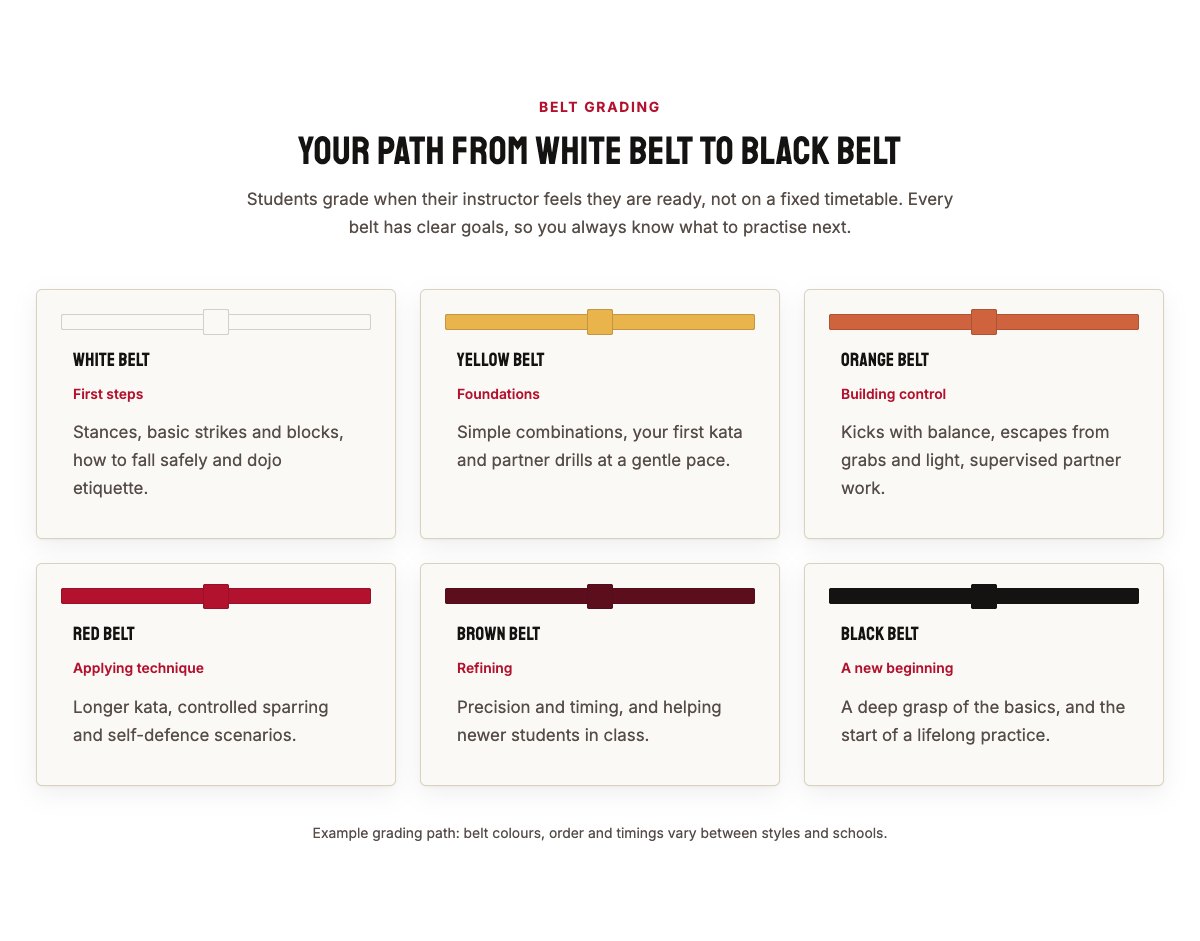
| Belt grading path | Six belt stages from white to black, each with a belt bar and what students learn. |
| Our instructors | Three instructor cards with photo, role and a short bio. |
| Student reviews | Three review cards (use real reviews only). |
| Inside the dojo | Three pictures (kids class, sparring, belts) with captions. |
| Frequently asked questions | Fitness level, what to wear, ages, safety, kit, grading and safeguarding. |
| Class hours and location | Hours, address, phone and a map with directions. |
| Contact cards | Call, email and visit cards. |
| Safeguarding banner | Highlighted strip telling parents about your safeguarding policy, with an email button. |
| Free trial call to action | Crimson “Book your free trial class” band with booking and phone buttons. |
Page layouts (Pro)
- Home page: the complete homepage.
- Classes page: programs, timetable, membership plans, belt grading path, safeguarding banner and FAQ.
- About page: dojo story, values, instructors, reviews and inside the dojo.
- Contact page: contact cards, safeguarding banner, class hours and map.
Demo content to replace
- Phone
(555) 016-4708, email[email protected]and the Cedar Row address (header, footer, contact sections). - Class hours (top bar, footer, hours section).
- The classes and times in the hero card and the weekly timetable; the age groups.
- Membership prices and the terms note (notice period, freezes, uniform, sparring gear and grading fees); the FAQ answers that mention them.
- The belt path: change it to your own style and grades, or remove the section.
- Instructor names, roles and photos; the three dojo pictures; sample reviews.
- The safeguarding text in the About section, FAQ and banner: keep it only if you have a written policy, and name your welfare officer.
- The “Book a free trial” buttons: link them to your class booking system or app.
Keep safety and health promises out of your site: never write “injury-free” or promise fitness or weight-loss results. Keep the note that asks students to mention injuries and check with their doctor, and only list ranks, qualifications or background checks your instructors really hold.
Photo guide
Replace the illustrations and placeholder portraits with your own photos: select the image in the editor, then Replace. These sizes look sharp on large screens without slowing the site down.
| Image | Shape | Upload size | Tips |
|---|---|---|---|
| About photo | Landscape 5:4 | 1600 × 1280 px | Your dojo with the mats in view, ideally during a class. |
| Inside the dojo (3 photos) | Landscape 4:3 | 1600 × 1200 px | A kids class, supervised sparring and your belts or equipment. Get written permission from a parent before you publish photos of children. |
| Instructor photos | Portrait 4:5 | 800 × 1000 px | Head and shoulders in uniform, with space above the head, same light and background for everyone. |
| Map picture | Landscape 3:2 | 1600 × 1040 px | A screenshot of your map, or keep the illustration; the button links to Google Maps. |
| Blog featured images | Landscape 3:2 | 1600 × 1067 px | Shown on the blog cards and at the top of each post. |
| Logo (header and footer) | Wide or square | At least 200 px tall, PNG with a transparent background or SVG | Shown about 44 px tall. Set it in Appearance → Editor: select the logo block. |
| Site icon | Square | 512 × 512 px | The small icon in browser tabs. Settings → General → Site Icon. |
- Save photos as JPEG or WebP and keep each file under about 300 KB (a free tool such as squoosh.app does this).
- WordPress crops to the shape for you: select the image → Crop in the toolbar to choose which part shows.
- Fill in the Alternative text of each photo (for example “Our reception desk”) for accessibility and Google.
- Only use photos you own or have permission for. Ask clients before you publish photos of them.
Colour styles
Default (black, crimson and off-white with a gold accent), Indigo Gi (deep indigo and gold), Bamboo (forest green and straw) and Tatami (warm brown and gold). Try them in the live demo with the colour dots in the top bar.